Chapter 3
Digital Support
China runs on apps. Here's how to get yours working as a foreigner.
Back to Essentials
Chapter 3
China runs on apps. Here's how to get yours working as a foreigner.
Back to EssentialsThe first thing you do after landing. Simpler than you think.
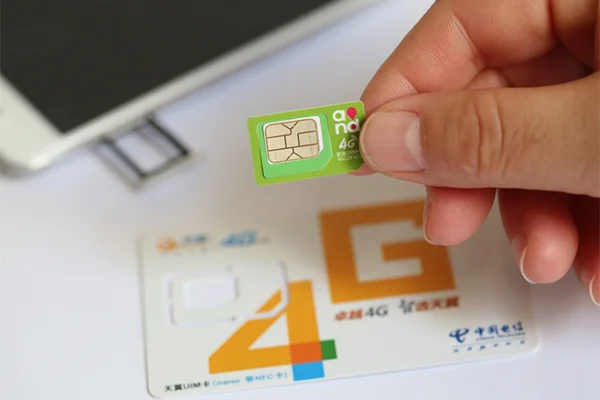
After landing, buy a SIM card at the airport. All you need is your passport. Airport prices are slightly higher than in-city shops, but the difference is negligible and it's much more convenient.
Once you have a Chinese phone number, use it to register WeChat, Alipay, DiDi, and Dianping. SMS verification is required for most setups.
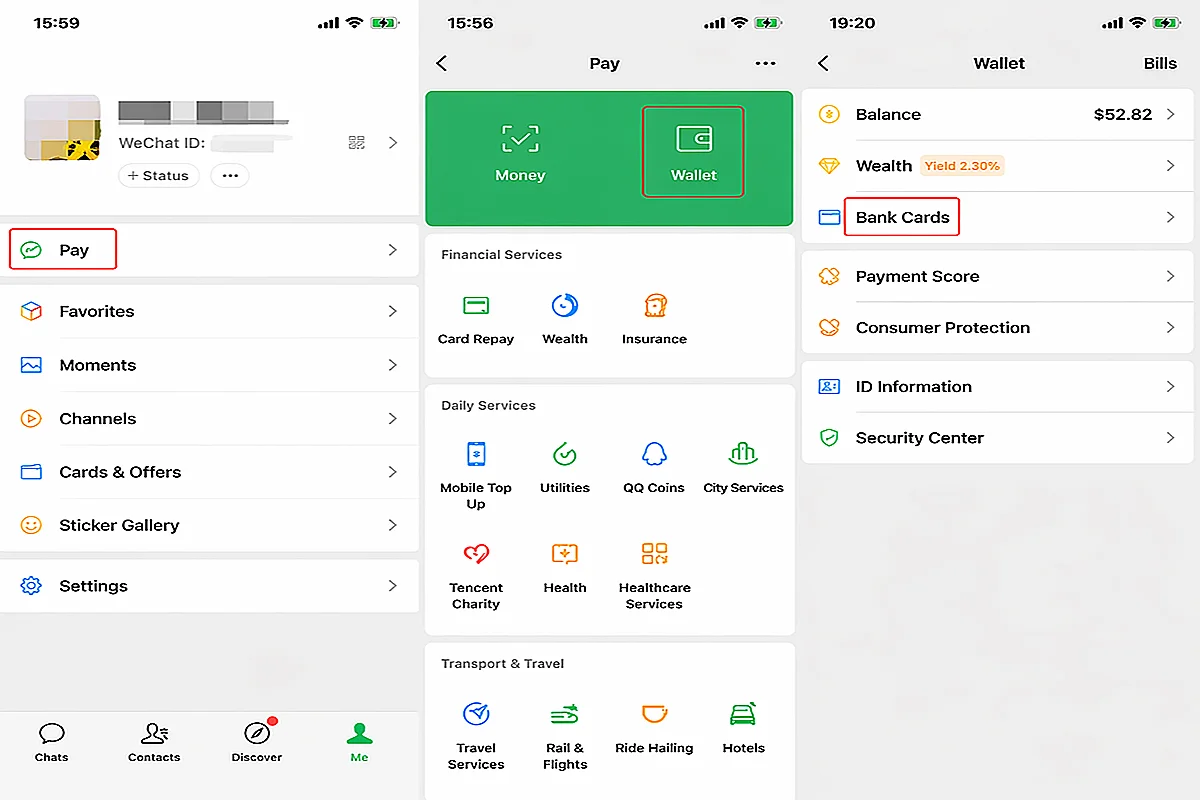
The app everyone uses — but setting it up as a foreigner has some real hurdles.
WeChat's setup for foreigners has several known hurdles. The most critical first step is getting the right bank card:
Ranked from best to worst — choose what fits your trip.
1. eSIM (best) — Providers like Holafly, Airalo, and Saily offer China eSIMs that automatically bypass the firewall. Plug and play, fast 5G. Holafly is great for unlimited data, Airalo has reliable 5G in major cities, and Saily handles base station handovers well for multi-city trips. Install before you fly.
2. Carrier roaming — Use your home carrier's international plan. Works but expensive.
3. Hong Kong SIM — Buy a HK SIM card (available in Shenzhen). Many work in mainland China without a VPN.
4. VPN only (last resort) — Often blocked, unstable, hard to download after arrival.
Two things every traveler needs: directions and battery.
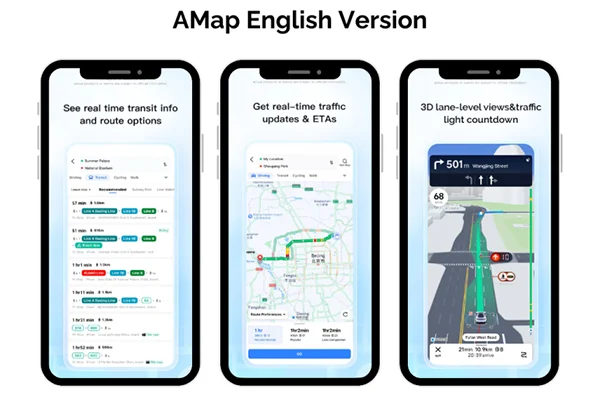
Apple Maps — works surprisingly well in China (uses Amap data, English interface). Your best bet.
Amap (高德) — most accurate, but Chinese-only. Translate your destination first, then paste.
Google Maps — inaccurate and mostly useless in mainland China. Don't rely on it.
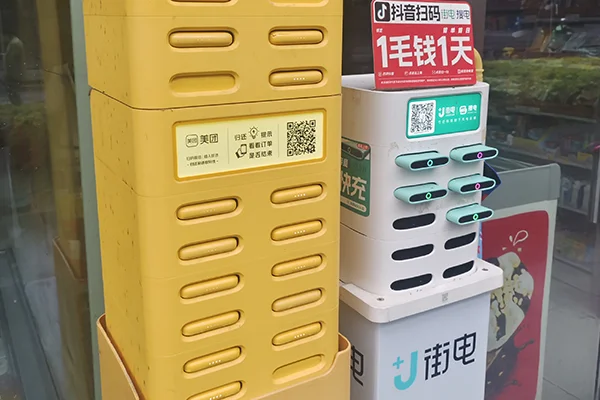
China has shared power banks (共享充电宝) everywhere — restaurants, malls, convenience stores. Scan a QR code with WeChat or Alipay, a power bank pops out. Return it to any station in the city. Cheap, fast, lifesaving.
Tech words you'll see everywhere.
China is nearly cashless — learn how to pay for things.
Continue to Chapter 4 →