
Chapter 2
Communication & Translation
You don't need to speak Chinese, but you need a translation strategy. Here's what works.
Back to Essentials
Chapter 2
You don't need to speak Chinese, but you need a translation strategy. Here's what works.
Back to EssentialsHow to make sense of Chinese apps, menus, and signs without speaking a word.
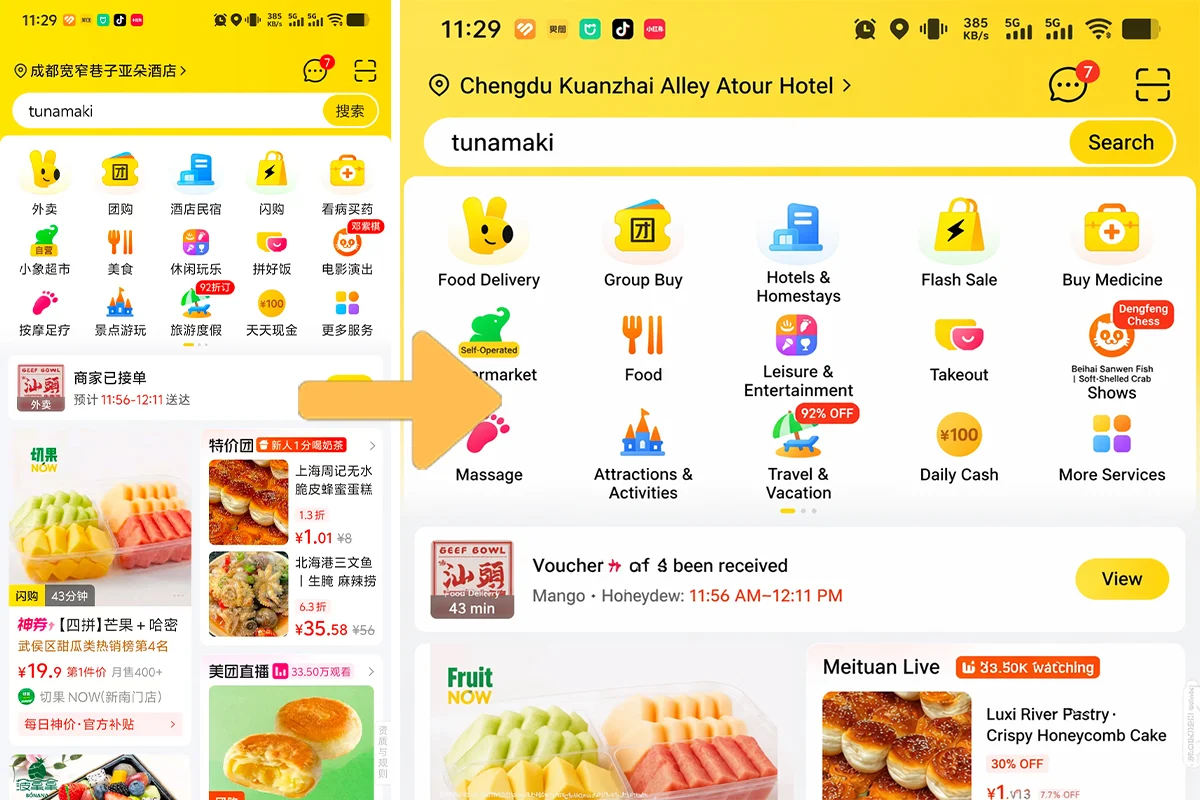
Take a screenshot of any Chinese app or sign, feed it to ChatGPT or Google Translate. ChatGPT is especially good at understanding Chinese UI and explaining what each button does. Works offline if you've downloaded the language pack.
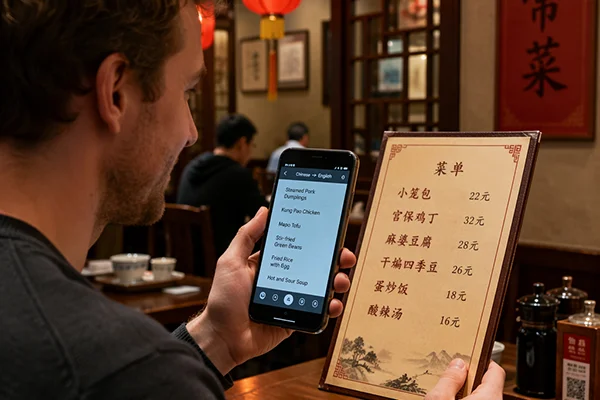
Google Translate's camera mode works for signs and menus — point and translate in real time. Microsoft Translator and Baidu Translate also do this. Alipay has a built-in translator too, handy since you'll have it open for payments.
Tap 🔊 to hear natural pronunciation. Quick versions in bold are shorter and easier for beginners.
"Excuse me, how do I get to…?" Fill in: 地铁站 (metro), 酒店 (hotel), 厕所 (toilet).
"Where is the restroom?" ⚡ Quick: 厕所?Cèsuǒ? Just say it with a questioning look.
"Can you help me?" Chinese locals are genuinely friendly — they'll often pull out a translation app to help you.
"Too expensive!" Say it with a smile at street markets. Follow up: 便宜一点 (Pyen-yee yee-dyen) = "cheaper please."
"I don't understand." ⚡ Quick: 听不懂。Tīng bù dǒng. Smile — it works.
Everyday words you'll reach for constantly.
In major cities: younger people often know some English, and metro signs/announcements are in English. In smaller cities or with older locals: don't count on it. But people go out of their way to help — we've seen strangers pull out translation apps just to point a tourist in the right direction.
All words from this chapter. Tap 🔊 to hear pronunciation.
Learn how to get online — SIM cards, WeChat, and the best internet options.
Continue to Chapter 3 →